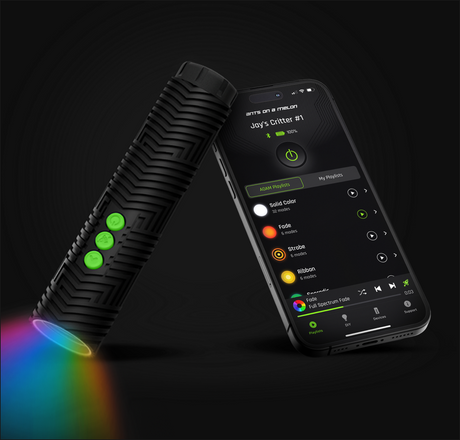
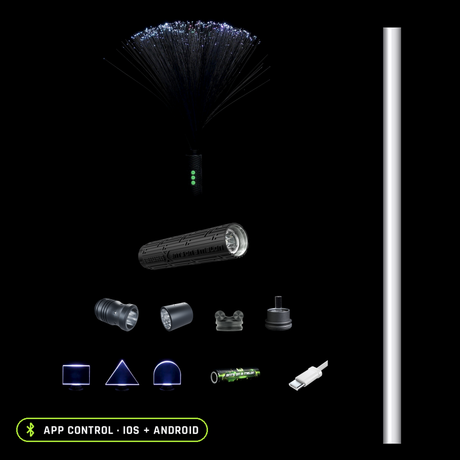
The short answer: the Ants on a Melon app is a free download for iOS and Android, and it is where the deep control in the RGB Critter BT lives. The light works perfectly well without it: 20 preinstalled modes, three onboard buttons, no phone required. Pair it once, though, and you get the full library of 145+ modes, a 16.7 million color picker, unlimited custom playlists and up to 10 lights running one matched palette. This guide covers setup, pairing, the mode library, exact colors, playlists, brightness, multi-light control, and the fixes for a connection that will not stick.
The short version
The app
Free, iOS and Android
One download unlocks the full mode library, the 16.7 million color picker, unlimited playlists and firmware updates.
Free
Without the app
Still a full light
20 preinstalled modes cycle from the three onboard buttons, with speed control, no phone and no connection required.
Standalone
Several lights at once
One phone, one palette
Pair up to 10 Critters and every connected light runs the same colors and patterns together.
Up to 10
What the app actually is: free, and where the deep control lives
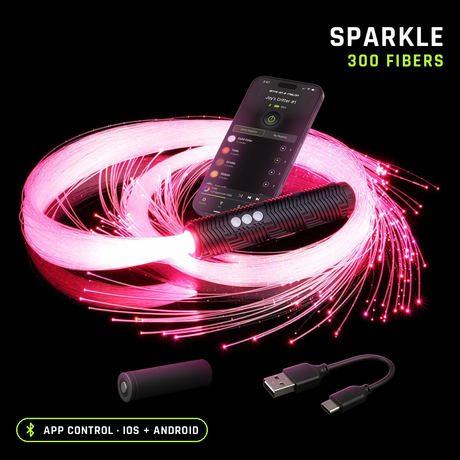
The Ants on a Melon app is free on both iOS (iPhones and iPads on 17.0 or newer) and Android (7.0 or newer), and one download covers the whole RGB Critter ecosystem: the same app that drives the bare Bluetooth flashlight also drives it inside a whip, a saber or a staff. What it adds over the onboard buttons: a responsive color picker with 16.7 million colors, a mode library 145 deep and growing, custom mode building from 8 effects like fades and strobes, unlimited playlists with autoplay, 100 brightness levels, 100 strobe speed levels, and pairing for up to 10 lights at once. Firmware updates come through it too, so the light keeps improving after you buy it.
One honest note on how this guide is written: app screens change with updates, so we describe what each capability does rather than which button currently does it. Everything below is a capability of the current app, verified against our published product pages.
First pairing: Bluetooth, about a minute
Pairing is ordinary Bluetooth, and the whole thing takes about a minute:
-
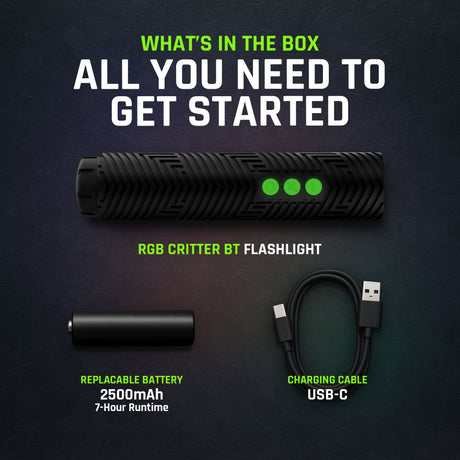
Charge the light and turn it on. A dead Critter cannot be discovered. The included USB-C cable charges the cell inside the light.
-
Turn on Bluetooth on your phone. The app talks to the light directly over Bluetooth, so the phone's radio has to be on.
-
Open the app and allow the Bluetooth permission when it asks. Both iOS and Android require you to grant it before the app is allowed to see any device. Decline it and the light will never appear, which is the single most common setup problem we hear about.
-
Keep the Critter next to the phone and connect. First pairing is easiest at arm's length. The onboard buttons also include a make-available-to-pair function if the light needs a nudge to show itself.
Once paired, the light reconnects without ceremony, and it does not need a constant connection: modes you set or export keep running with the phone in your pocket, off, or at home.
The mode library: 145+ modes, still growing
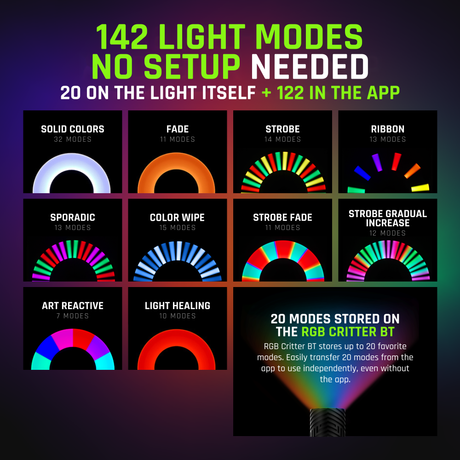
The library ships with 145+ modes, from solid colors and fades to strobes, and firmware updates keep adding to it. Every mode has adjustable speed, and strobe effects get 100 speed levels of their own, so one strobe mode is really a hundred different looks. If nothing in the library is exactly right, build your own: custom modes assemble from 8 effects, like fades and strobes, in any of the 16.7 million colors, and there is no cap on how many you can save.
Picking exact colors: 16.7 million, not 16 presets
Cheaper RGB toys give you a remote with a couple dozen fixed colors. The Critter's picker covers 16.7 million, which matters the moment you need a specific one: the exact teal of a costume, a team color, the one shade of amber that reads as candlelight in a long exposure. Pick it once and it is repeatable forever, and a solid color set from the app matches exactly across every connected Critter, so two props on stage never argue about what purple means.
Custom playlists: build the set once, run it all night
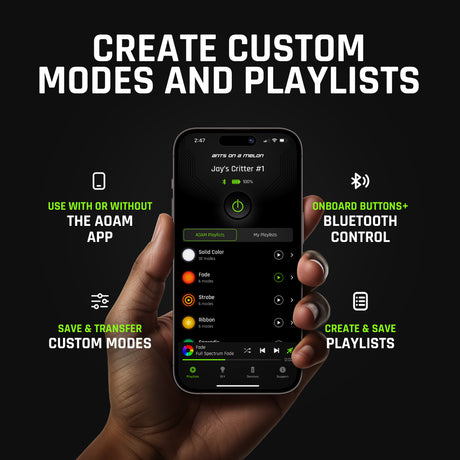
Playlists are the feature that separates performing from fiddling. Create, save and switch between unlimited custom light patterns, ordered the way your set flows: warm-up colors, the strobe section, the finale. Autoplay runs a playlist hands-free, and while a playlist is open, the light's own buttons step through it, so mid-performance changes never require pulling out a phone.
The other half is the Export To Critter feature: send up to 20 of your favorite modes to the light itself, where they live in onboard memory. That is what makes the phone optional at show time; the set you built rides inside the light.
Brightness, momentary press and the settings worth knowing
The Critter peaks at 170 lumens, and the app dims it across 100 brightness levels. That is not just mood control: brightness is the biggest lever on battery life. In color modes the light runs about 7 hours on a charge, while full-brightness white, the hungriest setting, tops out around 2 hours, and dimming stretches both.
Two smaller settings earn their keep. The three onboard buttons are themselves illuminated and color-changing, and they can be turned off, which photographers appreciate when the light is in frame. And momentary press, once activated in the app, fires the light only while you hold the button, which is exactly the control you want for clean starts and stops when writing with light.
Running several Critters: one phone, one palette
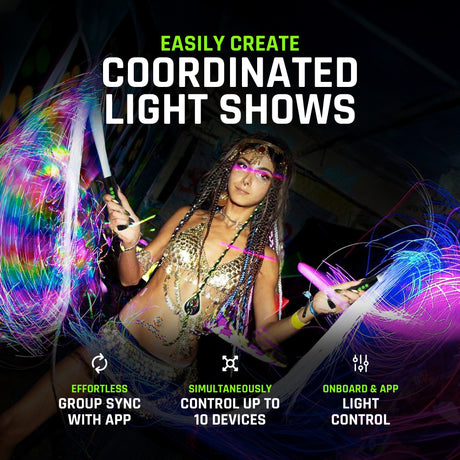
The app pairs and controls up to 10 lights simultaneously, and this is where the ecosystem earns its keep: because one app controls the whole system, your flashlight, your whip and your staff can all share one palette in a performance. Set the group to your two costume colors and every prop on stage agrees.
Know how the grouping works before you plan a duo act around it: connected Critters run as one group, all showing the same colors and patterns together, rather than each light being addressed separately. Solid colors always match exactly across units. For picking which props to hang off those lights in the first place, start with which kit is right for you.
What works without the app
Everything essential. The RGB Critter BT ships with 20 preinstalled modes, and the three illuminated buttons cycle through them and adjust their speed, plus handle on, off and lock. Add the 20 modes you can export from the app and the light carries a full custom set with no phone in sight. The honest way to think about it: the app is where you build, the light is where you perform. Friends borrowing a spare Critter for the night need zero setup, and if your phone dies at hour three of a festival, your light does not care.
Troubleshooting pairing: four checks, in order
Nearly every pairing complaint we see at support resolves with one of these four checks, so run them in order:
-
Is the light on? Charge it, switch it on, and confirm it actually lights up. A drained cell is the least glamorous and most common culprit.
-
Is it close? Bluetooth is a short-range radio. Pair with the Critter next to the phone, not across the room, and away from a crowd of other electronics if it is being stubborn.
-
Is the phone allowed to see it? Bluetooth on, and the Bluetooth permission granted to the app. If the permission was declined at install, the app can look like it is working while being blind by design; both iOS and Android let you grant it after the fact in the phone's settings.
-
Is something else holding the connection? One controller at a time: a Critter already connected to another phone, or to an app session someone forgot about, will not show up for yours. Disconnect it there first.
Still stuck after all four? Restart the app, power the light off and on, and try again; that clears most of the remainder. If it genuinely will not pair, email support@antsonamelon.com and we will get you sorted.
Gear you'll want
The light this whole guide is about
RGB Critter BT flashlight
$149.95; 170 lumens, 16.7 million colors, 145+ modes, and it powers 200+ twist-on tools.
A spare cell so the set does not end at hour seven
2500mAh 18650 battery
$9.95; swaps in seconds, roughly 7 hours of color per charge.
Light, spare and cable in one place
RGB Critter Travel Case
$19.95; fits a Critter, a spare 18650 and a charging cable.
The same light, driving a whole prop
BitWhip Kit
From $159.95; the Critter twists in, and the app you just learned controls all of it.
RGB Critter BT app FAQ
Is the Ants on a Melon app free?
Yes. It is a free download for iOS (iPhones and iPads on 17.0 or newer) and Android (7.0 or newer), and the same app controls the whole RGB Critter product line.
Does the RGB Critter BT work without the app?
Yes. It ships with 20 preinstalled modes you cycle from the three onboard buttons, with speed adjustment, and you can export 20 of your own favorite modes from the app to the light for phone-free use.
How many modes does the RGB Critter BT have?
The app library holds 145+ modes and keeps growing with updates, with 16.7 million colors and unlimited custom playlists on top. The light itself stores 20 modes for use without a phone.
Can I control more than one RGB Critter at once?
Yes, the app can run up to 10 connected lights together. Every connected Critter shows the same colors and patterns as a group, and solid colors always match exactly across units.
Why will my RGB Critter BT not pair?
Work through four checks: the light is charged and on, it is next to your phone, Bluetooth is on and the app has Bluetooth permission, and the light is not already connected to another phone. Then restart the app and power-cycle the light.
Can I make my own modes and playlists?
Yes. Build custom modes from 8 effects like fades and strobes, pick any of 16.7 million colors, and save them into unlimited playlists. Autoplay runs a playlist hands-free, and Export To Critter stores up to 20 favorites on the light.

Ants on a Melon team, Oregon
We design the RGB Critter BT and the free app that drives it, and we use both at festivals and photo shoots ourselves. Capabilities on this page were checked against our published product pages in August 2026; the app keeps improving, so newer versions may add more.