30-day returns4.7 · 900+ reviewsDesigned in Oregon
7 Creative Light Painting Techniques to Try with the RGB Critter BT Flashlight
Ants on a Melon Team7 min read
Light painting is long-exposure photography where the camera holds still and the light moves. Open the shutter in a dark scene, move a light source through the frame, and everything the light traces stays in the photo: orbs, trails, letters, outlines. We design the RGB Critter BT, a color-changing flashlight, for exactly this, and in this guide we will walk you through seven techniques we use ourselves, from your very first orb to tools you design from scratch.
Every technique below uses the same foundation. Get this right once and the rest is practice.
Our favorite light painting features on the RGB Critter BT.
Find real darkness. Indoors with the lights off, or outdoors well after sunset. The darker the scene, the cleaner your light trails.
Lock the camera down. A tripod (or a table, a rock, anything that does not move) is non-negotiable. The camera must stay perfectly still for the whole exposure.
Set a long exposure. Use your camera's manual or bulb mode and give yourself enough time to complete your movement. There is no magic number; start with an exposure long enough to finish the motion, review, and adjust.
Fire the shutter without touching the camera. A countdown timer or remote release keeps the frame sharp.
Move the light, not the camera. You are the paintbrush. Everything you do with the light while the shutter is open ends up in the image.
One habit worth building early: keep your body moving. If you stand still under your own light for too long, you show up in the photo; if you keep moving, you mostly disappear and only the light remains.
1. Orb spinning: perfectly round glowing spheres
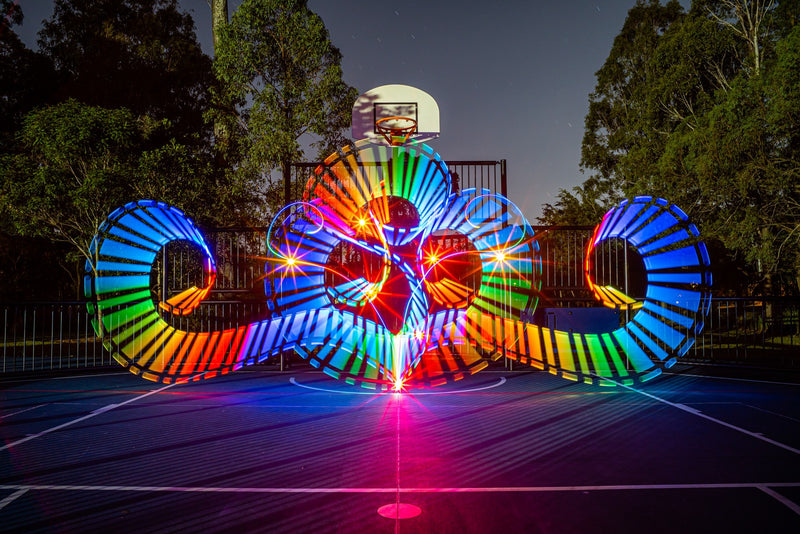
Orbs are the light painting classic, and the first technique most people fall in love with. The idea is simple even if the muscle memory takes a few nights.
Hold the RGB Critter BT out from your body on a string or attachment and spin it in a smooth vertical circle, like a wheel facing the camera.
While spinning, rotate your body slowly in place (or walk a tight circle around a fixed point).
Keep the spin speed and radius steady; the overlapping circles stack into a glowing sphere in the final frame.
For the soft, dreamlike glow that makes orbs feel three-dimensional, diffuse the light. A twist-on diffuser like our Orb Light Diffuser softens the bare beam into an even glow across the whole exposure, and doubles as ambient fill lighting for other shots.
Pro tip: rehearse the spin with the light off. A wobble you would never notice in real time is painfully obvious in a 30-foot-wide photograph of your arm's history.
2. Light painting tubes: big, dreamlike trails
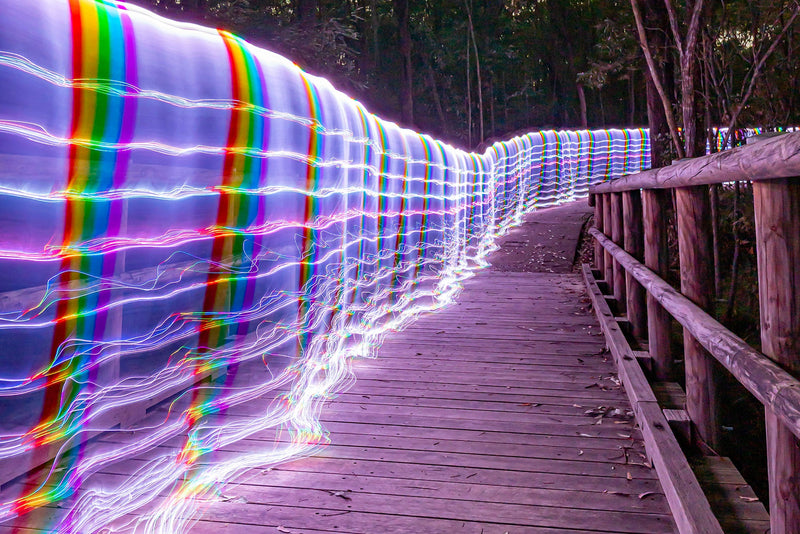
Tubes are how you fill a frame. A translucent tube attached to the light turns a point source into a wide, glowing stroke, so sweeping movements leave behind massive ribbons of color instead of thin lines.
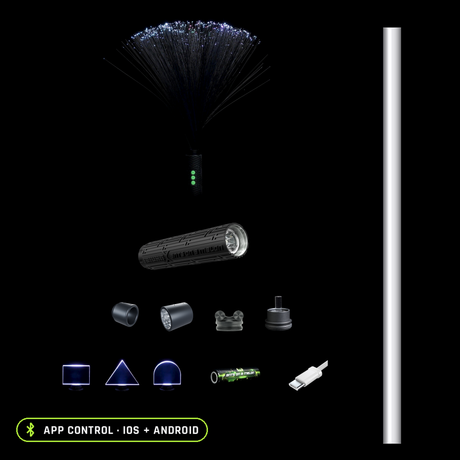
Our Modular Light Painting Tubes twist straight onto the RGB Critter BT, and the modular part matters: interchangeable ends and adapters let you change trail width and fade character between shots instead of between shopping trips. Sweep them in arcs behind a subject, spiral them around a standing model, or walk them through a scene for a wall of color.
Best for: flow artists, performers, and anyone who wants large-scale, movement-based light art.
3. Light graffiti: write and draw in mid-air
Light graffiti turns the flashlight into a pen. While the shutter is open, "draw" letters, symbols, or doodles in the air facing the camera; the strokes hang in space in the final image.
Face the camera and picture the frame as your canvas.
Write your word or shape in the air. Remember it will be mirrored from your point of view, so either write in reverse or flip the image afterward.
Cover the light (or point it away from the lens) between strokes so the letters stay separate instead of connected by stray lines.
The Acrylic Writer is the tool we reach for here: polished acrylic rods that produce crisp, clearly defined lines with a sharp glow, ideal for text, symbols, and geometric designs.
Creative idea: layer multiple colors in one exposure, changing the Critter's color between words for graffiti that shifts hue mid-sentence.
4. Silhouette outlines: trace people and objects
Silhouettes flip the logic: instead of the light being the subject, the light defines the subject by what it leaves dark.
Place your model or object between the camera and where you will stand.
Ask them to hold completely still for the exposure.
Walk behind them and trace their outline with the light, keeping the beam pointed toward the camera.
The result is a radiant edge around a dark figure, and it is one of the most striking effects you can get with zero editing. To soften the outline into something more magical, use the Fiber Optic Duster: its fanned fiber strands light up at the tips, adding depth and texture to the traced edge.
Best for: portraits, character shots, and futuristic or fantasy aesthetics.
5. Multi-color trails: gradients that shift mid-exposure
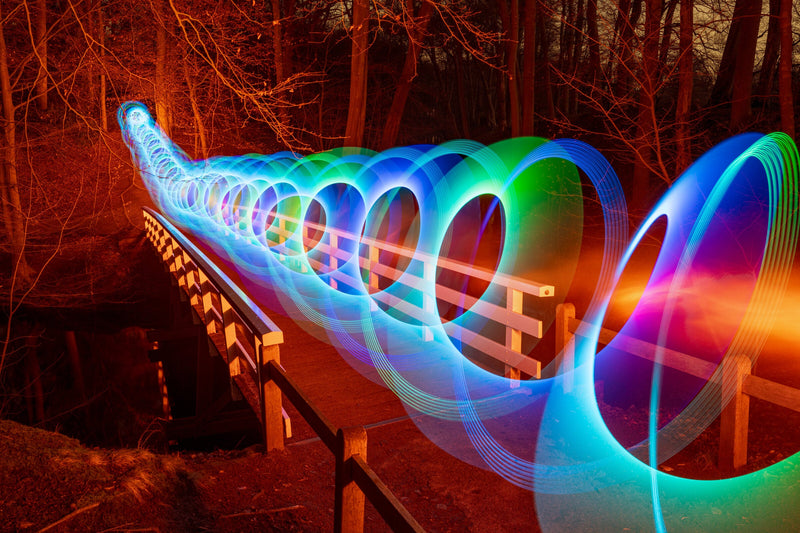
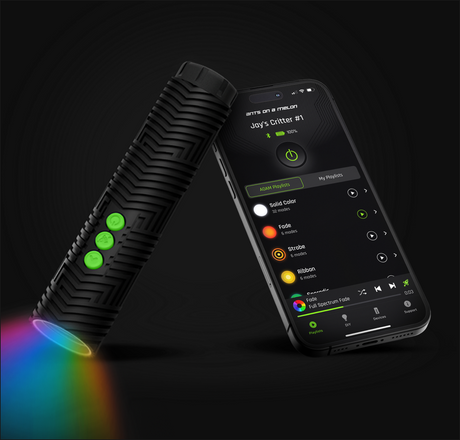
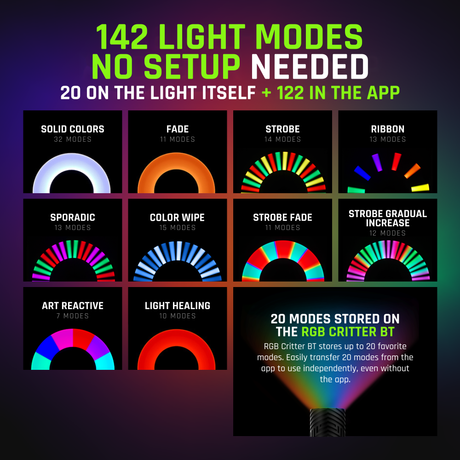
This is where the RGB Critter BT stops being "a flashlight" and starts being an instrument. Through the free iOS/Android app you get 16.7 million colors, 145+ modes, and unlimited custom playlists, which means you can pre-program a color sequence and then simply move: the light handles the transitions while you handle the motion. Rainbow sweeps, two-color fades, and slow gradients that evolve across a single exposure are all one playlist away. (The light works without the app too; the app is where the deep control lives.)
To keep multi-color trails crisp, control where the light goes. The Illuminator focuses the beam forward and blocks side scatter, which keeps colors cleanly separated instead of washing into each other or flaring the lens.
Try this: program a fade between complementary colors, like teal and magenta, then move in a zigzag so rhythm and hue shift together.
6. Abstract patterns: texture with acrylic blades
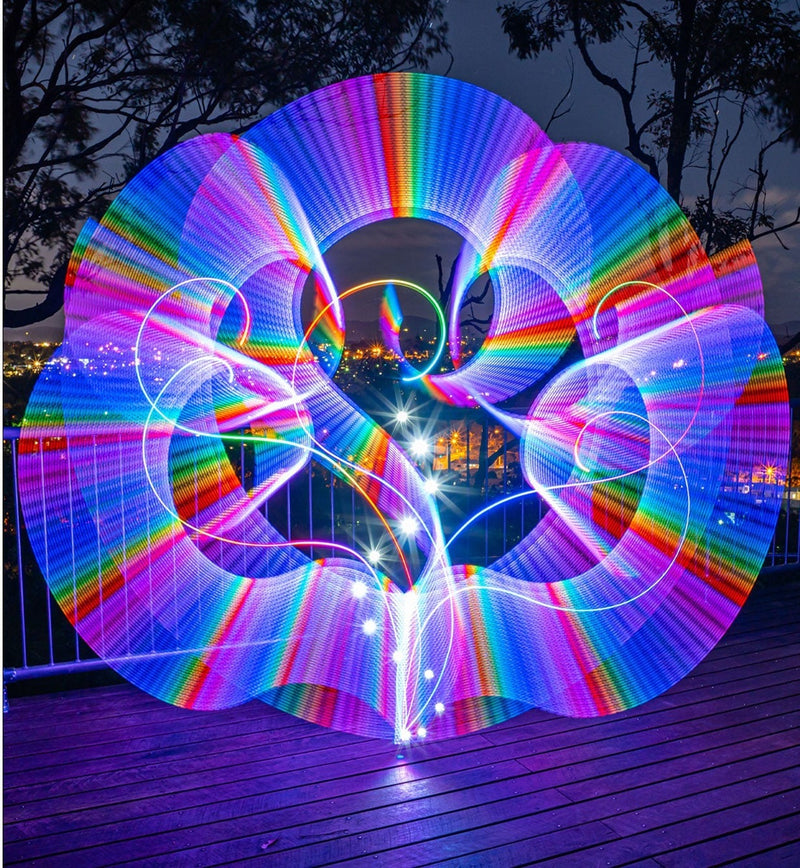
Blades are flat acrylic tools that carve structured, repeating patterns through the air, the step up from trails to compositions. Swing them in arcs, trace spirals, or flick side to side and the shaped edge draws detail that a bare light never could.
Our Light Painting Blades are cut from 8mm thick acrylic for maximum light output,, with curves, spikes and motifs built into the edge of the tool itself.
Best for: pattern-focused compositions, layered motion, and detail-rich backgrounds behind a subject.
7. DIY tools: build your own with adapters
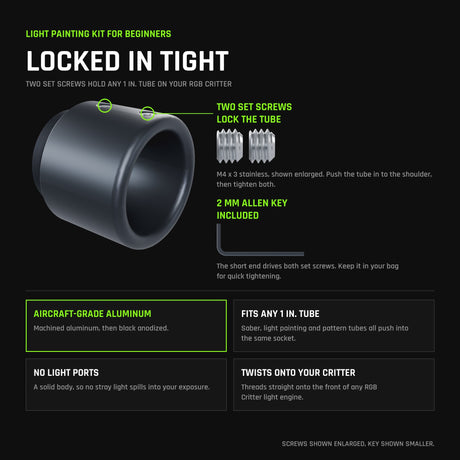
Some of our favorite light paintings ever came from tools nobody sells. The twist-on Light Painting Adapters let you connect nearly anything to the RGB Critter BT: acrylic cutouts, sculpted plastics, reflective surfaces, a soda bottle turned glowing cone, holiday decorations repurposed as diffusers.
The adapter system exists so prototyping is cheap. Make the weird thing, screw it on, shoot one frame, and you will know in ten seconds whether the idea has legs. If you are a maker or tinkerer, this is the rabbit hole, and we mean that as a compliment.
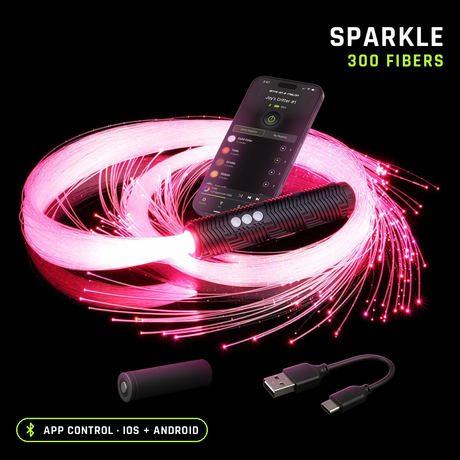
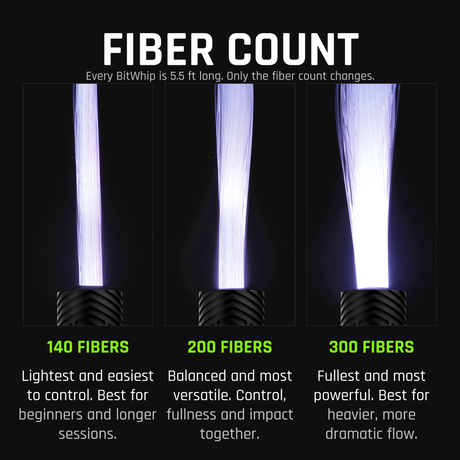
The fiber optic whip twists onto the same light, so one RGB Critter BT covers both your photography and your flow.
Light painting FAQ
What camera do I need for light painting?
Any camera with a manual or bulb mode that allows long exposures, mounted on something stable. Many recent phones can do long exposures through night or manual modes too; the technique matters far more than the body.
Do I need the app to use the RGB Critter BT?
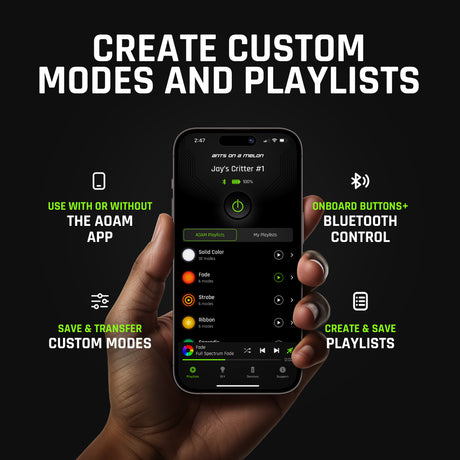
No. The light works on its own. The app (iOS and Android) is where you unlock the full 16.7 million colors, 145+ modes, and unlimited custom playlists, which is what makes pre-programmed color transitions possible.
How dark does it need to be?
Dark enough that a long exposure does not wash out. Indoors with the lights off works; outdoors, get away from streetlights and shoot well after sunset. A little ambient light can be useful for showing the environment, but your light trails should be the brightest thing in the frame.
Why do I show up as a ghost in my photos?
You stood still too long while lit. Keep moving during the exposure and wear dark clothing; anything in motion mostly vanishes from a long exposure, while anything static gets recorded.
Which technique should I learn first?
Light graffiti or simple trails, because they teach the core loop (open shutter, move light, review, adjust) with no coordination required. Orbs are the classic second step once you trust your setup.
We design the RGB Critter BT and every twist-on tool in this guide, we shoot with them constantly, and we would rather you buy the right gear than our gear.
Choosing a selection results in a full page refresh.
*New customers only. Single use, one per customer. Excludes sale items, gift cards and warranty. Cannot be combined with other discount codes or promotions.
Added To Cart
Special Price
Complete your setup:
International Shipping Restriction
This lithium-ion battery cannot be shipped internationally and cannot be added to your cart.
You can purchase the required battery locally with these specifications:
18650
Lithium-ion
3.6V nominal
Unprotected
Flat top
18.3mm diameter × 65.0mm length
Do not purchase protected, button top, 3.2V, or 1.5V cells.
Ants on a Melon is not responsible for batteries purchased from third-party sellers. Please verify specifications and use only high-quality lithium-ion cells from reputable brands.
LIFETIME WARRANTY
Every item in your order, for life.
Our gear comes with a 2-year warranty. This upgrade extends every item in your order to lifetime.
WHAT YOU ALREADY GET
2 years on everything in your order, free. Batteries have their own 60-day warranty, and the Orb has no warranty.
WHAT THIS ADDS
If anything in this order fails from a defect, we repair or replace it for as long as you own it.
NO HASSLE CLAIMS
Email us photos or a short video. Most repairs are back out in 2 to 3 working days.
NOT COVERED
Physical damage such as a cracked or crushed housing, loss, theft, broken fiber strands and normal battery wear.
International duties & VAT
A quick heads-up for orders shipping outside the US.
Set by your destination
Import duties and VAT are charged by your country's customs, not by Ants on a Melon.
Paid on delivery
Your carrier collects any charges when they deliver. Amounts vary by country.