30-day returns4.7 · 900+ reviewsDesigned in Oregon
PWM vs Analog Dimming: Which to Use for Light Painting
Ants on a Melon4 min read
The RGB Critter BT can dim its LEDs two ways: PWM and analog. To your eye they look the same. Inside the light they work in completely different ways. Here's how each one works, what it means for photos and video, and the quirks of switching between them on the Critter BT.
The short version
PWM
Full power, switched fast
The LED flicks on and off many times a second, and the on time sets the brightness. The default mode.
Consistent color
Analog
Steady, lower current
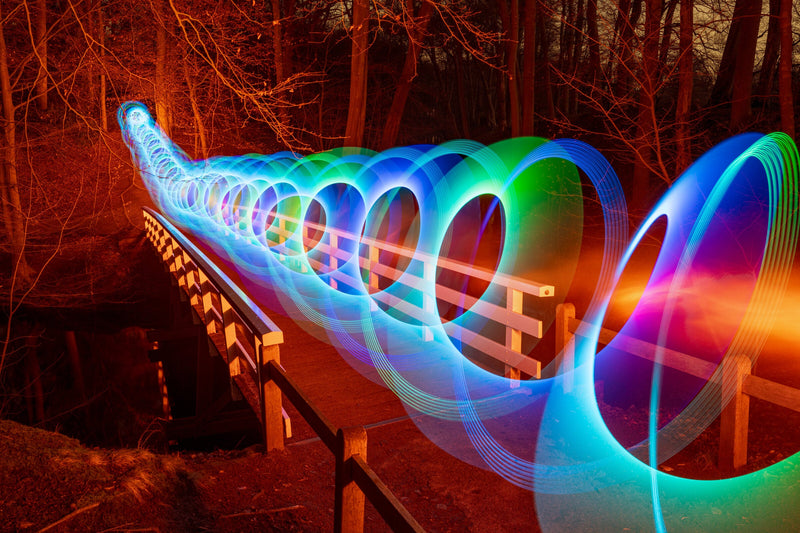
The LED stays on the whole time at a lower current, so a moving light draws a continuous line.
Continuous light
How to switch
In the app
Analog is a setting in the Ants on a Melon app, and the light goes back to PWM when it powers off.
Set it each session
How PWM dims a light
PWM stands for pulse width modulation. Instead of turning the LED down, the light runs it at full power and switches it on and off very quickly. At 50% brightness it's on half the time and off half the time. The switching is far too fast for your eye to follow, so you just see a dimmer light.
It's the most common way to dim an LED because it's simple and it keeps colors consistent: the LED always runs at the same current, so a mixed color looks the same at 10% as it does at 100%.
What a camera records instead
Your eye averages the pulses into a steady glow. A long exposure doesn't average anything: it records the light at every position it passes through, so if the light is moving, the gaps between pulses can show up as gaps in the line. Whether they do depends on the switching speed, the brightness and the tool on the front of the light, since a diffuser like a saber or tube tends to blur the pulses back together.
What analog does differently
In analog mode the Critter BT sets the brightness by lowering the current to the LEDs rather than switching them. Each color channel has its own converter setting the level, so the light stays on continuously and a moving stroke records as one unbroken line.
The trade-off is small but real. LED color shifts slightly as the current changes, so a mixed color at very low analog brightness can look a touch different from the same color at full power. Most of the time you won't notice, but it's the reason PWM remains the default.
Why video is its own case
Video adds a second clock. A camera shooting 24 or 30 frames a second, with a fast shutter, samples the light in short slices. If those slices land at different points in the PWM cycle from frame to frame, the light can appear to shimmer or roll bands across the frame. Analog has no cycle to catch, so if you film with a Critter BT, analog is the safer start.
How to switch on the Critter BT
Connect the light to the Ants on a Melon app, open Universal Settings and switch on Analog.
Universal Settings in the Ants on a Melon app. Green means analog is on; grey means the light is using PWM.
The toggle works live. Flip it on and the light switches to analog straight away; flip it off and it goes back to PWM. Analog is only available while the app is open and connected to the light. Close the app or lose the Bluetooth connection and the light runs its built in modes in PWM. Settings also reset when the light powers off, so after a battery swap or a full shutdown, reconnect and switch analog back on before you shoot. Make it part of your setup routine, the same way you set focus and white balance.
If you're not sure which mode you're in, the app shows it in the settings, so check there rather than guessing from the light.
Choosing a selection results in a full page refresh.
*New customers only. Single use, one per customer. Excludes sale items, gift cards and warranty. Cannot be combined with other discount codes or promotions.
Added To Cart
Special Price
Complete your setup:
International Shipping Restriction
This lithium-ion battery cannot be shipped internationally and cannot be added to your cart.
You can purchase the required battery locally with these specifications:
18650
Lithium-ion
3.6V nominal
Unprotected
Flat top
18.3mm diameter × 65.0mm length
Do not purchase protected, button top, 3.2V, or 1.5V cells.
Ants on a Melon is not responsible for batteries purchased from third-party sellers. Please verify specifications and use only high-quality lithium-ion cells from reputable brands.
LIFETIME WARRANTY
Every item in your order, for life.
Our gear comes with a 2-year warranty. This upgrade extends every item in your order to lifetime.
WHAT YOU ALREADY GET
2 years on everything in your order, free. Batteries have their own 60-day warranty, and the Orb has no warranty.
WHAT THIS ADDS
If anything in this order fails from a defect, we repair or replace it for as long as you own it.
NO HASSLE CLAIMS
Email us photos or a short video. Most repairs are back out in 2 to 3 working days.
NOT COVERED
Physical damage such as a cracked or crushed housing, loss, theft, broken fiber strands and normal battery wear.
International duties & VAT
A quick heads-up for orders shipping outside the US.
UK VAT at checkout
On orders up to £135 we add UK VAT (20%) at checkout.
Orders over £135
Import VAT and duty on larger orders may be added at checkout or collected on delivery.